Loading...
play.acediamc.com
Click to copy IP
Our Discord is where staff and players are usually around, and the fastest place to get help.
Linking your account
Linking connects your Discord to your website and in-game account. It takes about a minute.
Step 1. Sign in here, open your connections page, and press Connect next to Discord.
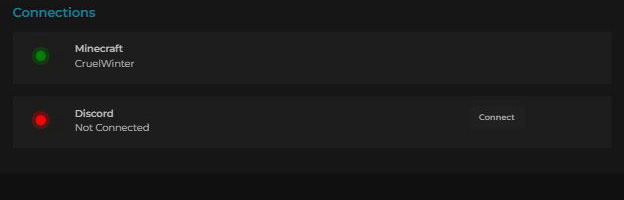
Step 2. The page gives you a token and shows the exact command to run. Discord now reads Pending Verification.
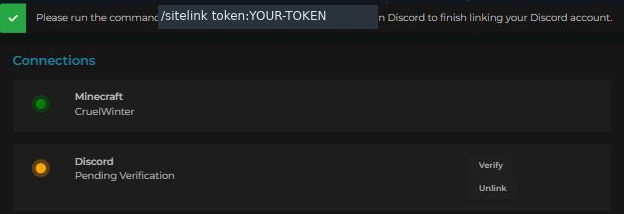
Your token is yours alone. Do not post it anywhere public, and do not share it — anyone who has it could attach their Discord to your account.
Step 3. In our Discord, go to bot-commands and start typing /sitelink. Pick the command when it appears, then paste your token into the token box and press enter.

Step 4. The bot replies to confirm. Only you can see this message.

That is it. Back on the connections page, Discord will show a green dot and your Discord name.
Once linked, your rank follows you into Discord, your messages show as you when they cross between game and Discord, and updates on your reports and suggestions reach you there.
Changed your mind? /siteunlink disconnects it again.
Information
Community
Minecraft
Support
Our rules apply in Discord exactly as they do in game.